Master the Art of Chaos in DIY Computer Upgrades
Embark on a humorous yet honest journey into the chaotic world of DIY computer upgrades. While the appeal of customizing your machine and saving money is undeniable, the process often spirals into a tangled mess of cables, incompatible parts, and accidental mishaps. From dropping tiny screws to wrestling oversized graphics cards into cramped cases, each obstacle tests patience and ingenuity. But beneath the frustration lies valuable lessons in hardware compatibility, careful handling, and troubleshooting—skills that transform chaos into confidence. Can your perseverance and sense of humor turn a disorganized project into a rewarding achievement? This journey isn’t just about upgrading a computer; it’s about embracing the unpredictability, learning from mistakes, and cultivating resilience. Ultimately, each setback becomes a stepping stone, making you not only a better DIYer but also more confident in navigating the wild, unpredictable landscape of tech upgrades.

Embrace the Rewarding Challenge of DIY Computer Upgrades
Upgrading your computer on your own can be both exciting and a little daunting. There’s a certain thrill in customizing your setup—choosing faster RAM, a more powerful graphics card, or extra storage—and knowing you’re directly improving your machine’s performance. It feels satisfying to take matters into your own hands rather than rely on a technician or buy a new computer altogether. This hands-on approach not only saves money but also deepens your understanding of how your device works, turning a simple upgrade into a rewarding project.
But the journey isn’t always smooth. One of the biggest hurdles is figuring out what parts are compatible with your existing hardware. Motherboards, power supplies, and case sizes each have their quirks, and mismatched components can turn a straightforward upgrade into a confusing puzzle. Researching specs, reading forums, and consulting manuals become essential steps, often taking more time than the actual installation. This initial phase can test your patience, but it’s a crucial part of the learning process.
Once you start physically working inside your computer, the real challenges unfold. Opening up the case, removing panels, and handling tiny screws can feel like working in a miniature hardware workshop. It’s easy to accidentally bump or damage delicate parts, or to forget a step—like disconnecting a cable or misaligning a component. These moments of misstep are common and can be frustrating, but they’re also part of the experience that teaches careful handling and attention to detail.
Cable management is another significant challenge, often turning into a chaotic tangle of wires. You might find yourself surrounded by a nest of cables that seem to have a life of their own, looping and twisting in every direction. Trying to route everything neatly can take longer than installing the hardware itself. Rushing through this step often leads to accidental disconnections or overheating issues later. Taking the time to organize and secure cables might seem tedious, but it makes future upgrades smoother and keeps your system running cooler and quieter.
Despite these obstacles, most DIYers find the process rewarding. Mistakes like installing a component at the wrong angle or dropping a screw into the case become funny stories over time. Every hiccup offers a chance to learn something new—about hardware, troubleshooting, or patience. Over time, these experiences build confidence and understanding, transforming chaos into competence. The sense of accomplishment after completing a successful upgrade makes all the mess and mishaps worthwhile.
The Humorous Mayhem of Assembling Your Own PC
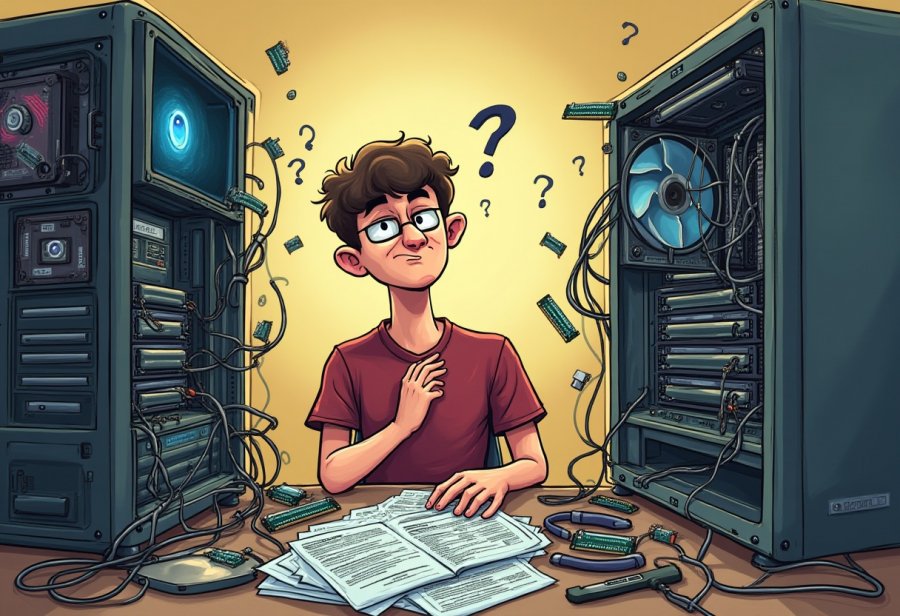
Trying to upgrade a computer yourself often feels like stepping into a comedy of errors. Imagine kneeling inside your tower, surrounded by cables sprawling in every direction like a plate of tangled spaghetti. You’re trying to slot in a new graphics card, only to realize it’s too big for your case or that a nearby component is blocking the slot. Sometimes, wires get so knotted that it takes ages just to untangle them without yanking out something important. Hardware mishaps are common—installing RAM at an awkward angle, forgetting to connect a power cable, or installing a component backwards. Each mistake turns a simple task into a puzzle, often requiring deep breaths and a lot of patience.
Cable management becomes the biggest source of chaos. It’s not unusual to find yourself buried in a nest of wires that look more like a plate of cooked spaghetti than a tidy setup. You spend more time trying to untangle and route the cables neatly than actually installing the hardware. Wires loop over each other, twist into confusing knots, and sometimes you realize you’ve disconnected something vital in the process. The frustration builds as you troubleshoot why the system won’t power on or why the fans aren’t spinning. Despite the mess, there’s a strange humor in the chaos—each knot and tangled wire becomes a funny story once everything is working again.
Hardware installation errors add to the comedy. You might force a RAM stick into a slot at an odd angle, risking bent pins or damaging clips. Static shocks can fry sensitive parts if you forget to ground yourself. Dropping tiny screws or losing connectors deep inside the case turns a quick upgrade into a frantic search. These setbacks often cause system errors or prevent the computer from booting, leading to moments of panic. But each mistake becomes a lesson—highlighting the importance of patience, careful handling, and double-checking connections before powering up.
Many of the funniest moments come from overlooked details. Forgetting to plug in a power cable, installing a component backwards, or forcing parts into places they don’t belong can instantly derail progress. These small errors often lead to hours of troubleshooting or even hardware damage. While maddening at the moment, they turn into hilarious stories later—reminders that even experienced DIYers aren’t immune to slip-ups. Sometimes, the solution is as simple as rechecking connections or consulting the manual, but it’s these moments that teach you to slow down and pay attention.
Screws dropping into the case, incompatible parts, and tangled wires are common culprits that turn a smooth upgrade into a series of mini-disasters. Finding a tiny screw buried in the case or realizing your new graphics card doesn’t fit after all can feel like hitting a wall. Yet, these setbacks often reveal gaps in planning or understanding, prompting you to adapt and learn. They remind you that patience is crucial, and rushing only increases the risk of mistakes. Once you get through the chaos, the satisfaction of overcoming these hurdles makes the effort worthwhile.

When Upgrades Go Awry: Navigating Troubles and Disasters
Upgrading a computer can quickly spiral into chaos when unexpected problems suddenly appear. For example, choosing a sleek new graphics card might seem straightforward until you realize it’s too large for your case, forcing you into a frustrating game of fit or replacement. Compatibility issues are another common trap—buying a high-speed SSD only to find it incompatible with your motherboard or that your power supply can’t handle the extra load. These surprises often lead to returns, delays, and a scramble for adapters, turning a simple upgrade into a troubleshooting marathon.
Cable chaos is perhaps the most visible source of frustration. Imagine trying to cram new cables into a cramped case, only to discover they’re too short or tangled in knots. Connecting a fresh power supply or adding extra fans can quickly become a tangle of wires looping in every direction. Accidentally unplugging something important in the process isn’t rare, and rushing often makes things worse—more disconnections, potential short circuits, or even hardware damage. The tangled mess almost looks like a spaghetti monster, and untangling it can eat up more time than the actual hardware installation.
Hardware mishaps happen just as frequently. Forcing a RAM stick into a slot at an odd angle risks bent pins or damaged clips, while static shocks can fry sensitive components if you forget to ground yourself. Dropping tiny screws or losing connectors deep inside the case turns a quick upgrade into a frantic search. These setbacks often cause system errors or prevent the PC from booting, leading to moments of panic. But each mistake offers a lesson—highlighting the importance of patience, careful handling, and double-checking connections before powering everything on.
Overlooked details often turn small errors into big headaches. Forgetting to plug in a power cable, installing a component backwards, or forcing parts where they don’t fit can instantly derail progress. These tiny mistakes frequently lead to hours of troubleshooting or even hardware damage. While maddening at the moment, they become funny stories later—reminders that even experienced DIYers aren’t immune to slip-ups. Sometimes, resolving these issues is just a matter of rechecking connections or consulting the manual, but these moments teach you to slow down and pay attention.
Incompatible parts are another source of chaos. You might buy a new GPU only to discover it doesn’t fit your case or isn’t supported by your motherboard’s BIOS. Sometimes, a power supply that seemed sufficient suddenly proves inadequate once you add a few components. These surprises can halt your upgrade in its tracks, forcing you into returns or last-minute substitutions. The frustration is real, but they also serve as lessons in the importance of thorough compatibility research before making a purchase.
Dropping screws or losing small connectors inside the case is a common disaster. It’s easy to misplace a tiny screw or have it slip into the depths of the chassis, only to realize you can’t find it later. Attempting to retrieve lost parts often involves a flashlight, a magnet, or some creative contorting. These moments can be nerve-wracking, especially if they delay your progress or risk damaging delicate components. But they remind you that patience and organization are key to avoiding unnecessary setbacks.
Rushing through any step amplifies the chaos. Hurrying to finish a build often leads to overlooked connections, misaligned parts, or accidental damage. It’s tempting to skip steps when eager to see your upgraded system run, but this often backfires. Taking the time to organize, double-check, and proceed carefully drastically reduces errors and future troubleshooting. The chaos becomes more manageable when you approach the process with a calm, deliberate mindset.
Despite all the setbacks, these disasters are part of the learning curve. Each mistake teaches you something new about your hardware, your patience, and your problem-solving skills. Over time, what once felt like chaos transforms into confidence. These chaotic moments, while frustrating in the moment, ultimately make you a more skilled and resilient DIY builder. And in the end, the satisfaction of overcoming each hurdle makes every mishap worth it.
Lessons Learned in the Midst of Hardware Havoc
Even when upgrades spiral into chaos, there’s a lot to learn from the mess. Mistakes like installing a RAM module at the wrong angle or dropping a screw into the case might be frustrating at first, but they push you to slow down and pay closer attention. Each slip-up reveals how your hardware really works and highlights the importance of careful handling and thorough checking. Over time, these lessons build confidence and turn what seemed like setbacks into stepping stones toward mastery.
Troubleshooting tangled cables or failed installations sharpens your problem-solving skills. Instead of rushing to fix things, you start analyzing each step: checking connections, verifying compatibility, and understanding how each component fits into the bigger picture. This process of trial and error transforms frustration into knowledge, making future upgrades smoother and more predictable. It’s like assembling a complex puzzle—each correct move boosts your sense of accomplishment and skill.
Humor plays a surprisingly big role in handling these chaotic moments. Laughing at dropped screws or tangled wires keeps frustration at bay and makes the experience more enjoyable. These funny mishaps become stories you share later, showing that even seasoned DIYers have their days of chaos. Embracing humor fosters resilience, helping you stay motivated and view setbacks as part of the learning process rather than failures.
Every mistake uncovers something new—whether it’s a cable that’s too short, a component that needs a different slot, or a forgotten step. Recognizing these issues early helps you plan better for future projects, reducing the chances of repeating the same errors. This ongoing process of learning and adapting makes you more patient and attentive, gradually transforming chaos into clarity. Over time, what once seemed overwhelming becomes second nature.
Building resilience through these messy moments prepares you for what’s next. Rushing often leads to mistakes, but taking your time, organizing your workspace, and double-checking connections make a huge difference. Patience becomes your most valuable tool, turning stressful situations into opportunities for growth. These challenges, once seen as setbacks, now serve as proof of your progress and increased capability.
In the end, chaos is just part of the journey. Each misstep and screw-up is a chance to learn, to refine your skills, and to understand your hardware better. The messy, unpredictable moments help develop a more methodical approach and a calmer mindset. As you grow more confident, you’ll find that the chaos no longer intimidates but instead energizes your passion for tinkering and upgrading. It’s all part of becoming a more skilled, resilient DIY builder.
Turning Chaos into Confidence: Mastering the Art of Upgrading
Navigating the chaos of DIY computer upgrades can be daunting at first, but embracing the humor in those messy moments makes the process much more manageable—and even fun. When tangled cables, dropped screws, or incompatible parts happen, it’s easy to get frustrated. However, viewing these mishaps as part of the learning curve helps keep things in perspective. Each mistake is a chance to understand your hardware better and develop your troubleshooting skills, turning chaos into confidence over time.
Slowing down and approaching each step with patience often leads to smoother upgrades. Taking the time to organize cables, double-check connections, and consult manuals prevents many common disasters. When you treat your build with care and avoid rushing, the messy moments become less overwhelming and more like amusing anecdotes. Humility and humor go hand in hand—laughing at a tangled wire or a dropped screw can lighten the mood and remind you that everyone faces setbacks, even seasoned DIYers.
As you reflect on these experiences, you’ll notice how each chaotic project enhances your skills and resilience. The frustration of missteps gradually morphs into a sense of achievement, fueling your confidence for future upgrades. Over time, what once seemed like insurmountable messes become valuable lessons, equipping you to troubleshoot faster and work more efficiently. This growth transforms the chaos from a source of stress into a foundation of knowledge and patience.
Remember, perfection isn’t the goal—progress is. The unpredictable moments, the small disasters, and the unexpected surprises are all part of the journey. They teach you to stay calm under pressure, to pay attention to detail, and to appreciate the process as much as the end result. With each upgrade, you build not just a better computer, but also a stronger mindset for tackling future challenges.
In the end, the chaotic side of DIY upgrades isn’t something to fear; it’s what makes the experience memorable and rewarding. By embracing the humor in the messes and setbacks, you turn potential frustrations into stories of growth and resilience. These moments of chaos aren’t just obstacles—they’re the stepping stones that turn you into a more skilled, confident builder. So, keep your sense of humor close, stay patient, and enjoy the wild, wonderful ride of upgrading your own tech.